MineKai
How to Create and Use a ChestShop on MineKai
ChestShop lets you create player-owned shops directly in Minecraft. Sell items to other players, buy resources from them, set your own prices, and take part in MineKai's player-driven economy.
What Is a ChestShop?
A ChestShop is a player-owned shop connected to a chest. It allows other players to automatically buy items from you or sell items to you without both players needing to be online at the same time.
MineKai supports Selling Shops, Buying Shops, and combined shops that can both buy and sell the same item.
As long as the shop has enough stock or money available, other players can continue trading with it while you are away.
Where Can You Create a ChestShop?
ChestShops on MineKai can only be created inside a Towny town where the mayor has allowed players to create shops.
You cannot create a ChestShop anywhere in the wilderness. The chest must be inside a town where the mayor has enabled the required permissions for your plot.
How to Create a ChestShop
Before creating the sign, prepare the chest and the item you want the shop to trade.
Place the chest inside an allowed Towny plot where you want your shop to be located.
Put the item you want to trade into the chest inventory before creating the sign.
This is important because the ? on the fourth line will automatically detect the item stored inside the chest.
Hold a sign and use Shift + Right Click on the chest to attach the sign directly to it.
The first line stays empty. The second line determines the amount traded per transaction, the third line determines the buy/sell price, and the fourth line should contain ?.
When you write ? on the fourth line, ChestShop reads the item stored in the chest and automatically fills in the correct item name.
How to Create a Selling Shop
A Selling Shop allows other players to buy items from your chest. In this example, the shop sells 64 Diamonds for 100 Crowns.
Sign Structure
Leave the first line empty.
64
Number of items sold in one transaction. In this example, the customer receives 64 Diamonds.
B 100
B means the player can buy from the shop. 100 means the customer pays 100 Crowns.
?
ChestShop automatically detects the item stored inside the chest.
Player pays 100 Crowns
Player receives 64 Diamonds
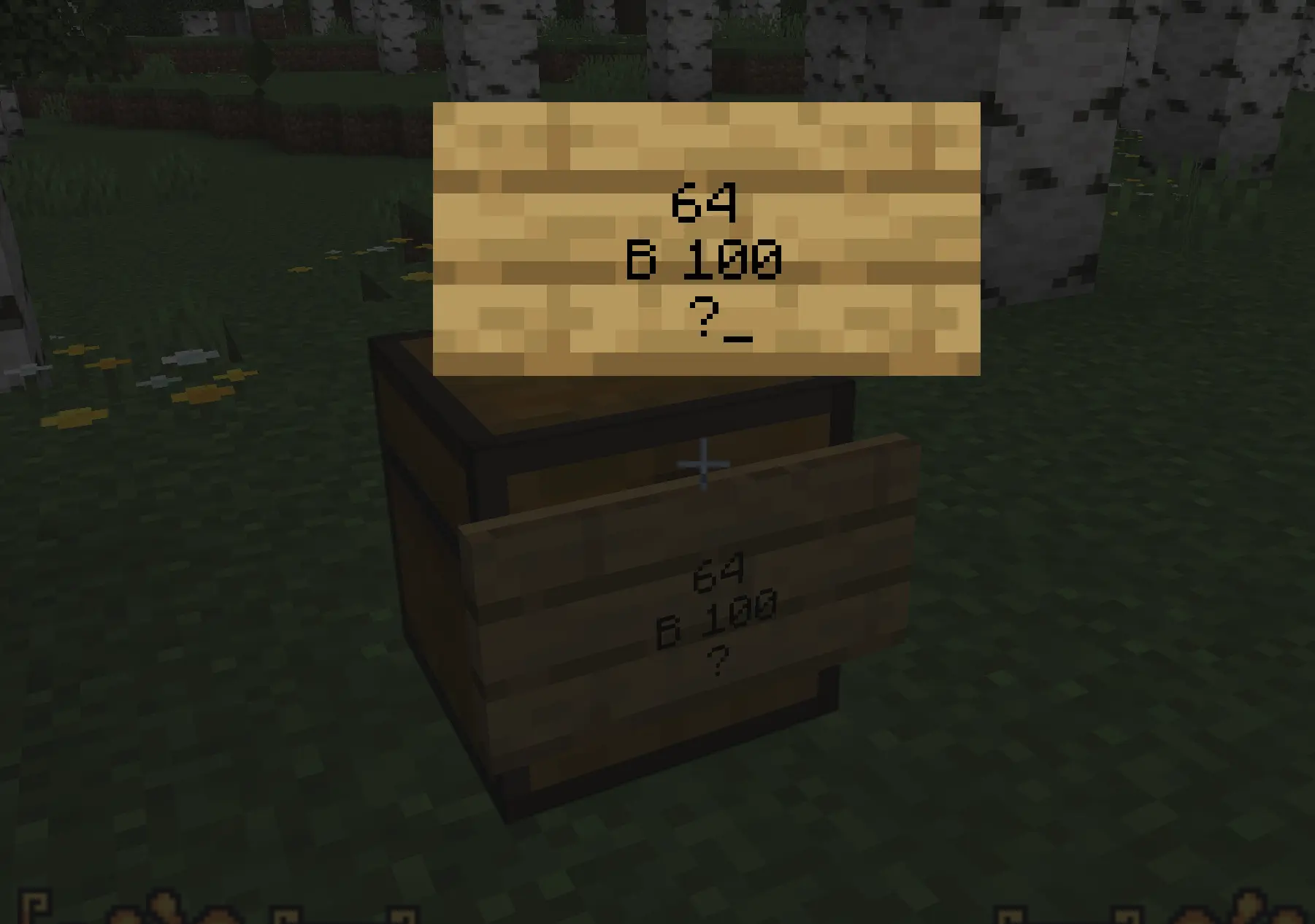
Selling example: 64 Diamonds for 100 Crowns.
How to Create a Buying Shop
A Buying Shop allows other players to sell items to your chest. In this example, the shop buys 64 Diamonds for 50 Crowns.
Sign Structure
Leave the first line empty.
64
Number of items the shop buys in one transaction. In this example, the player sells 64 Diamonds.
S 50
S means the player can sell items to the shop. 50 means the shop pays 50 Crowns.
?
ChestShop automatically detects the item stored inside the chest.
Player gives 64 Diamonds
Player receives 50 Crowns
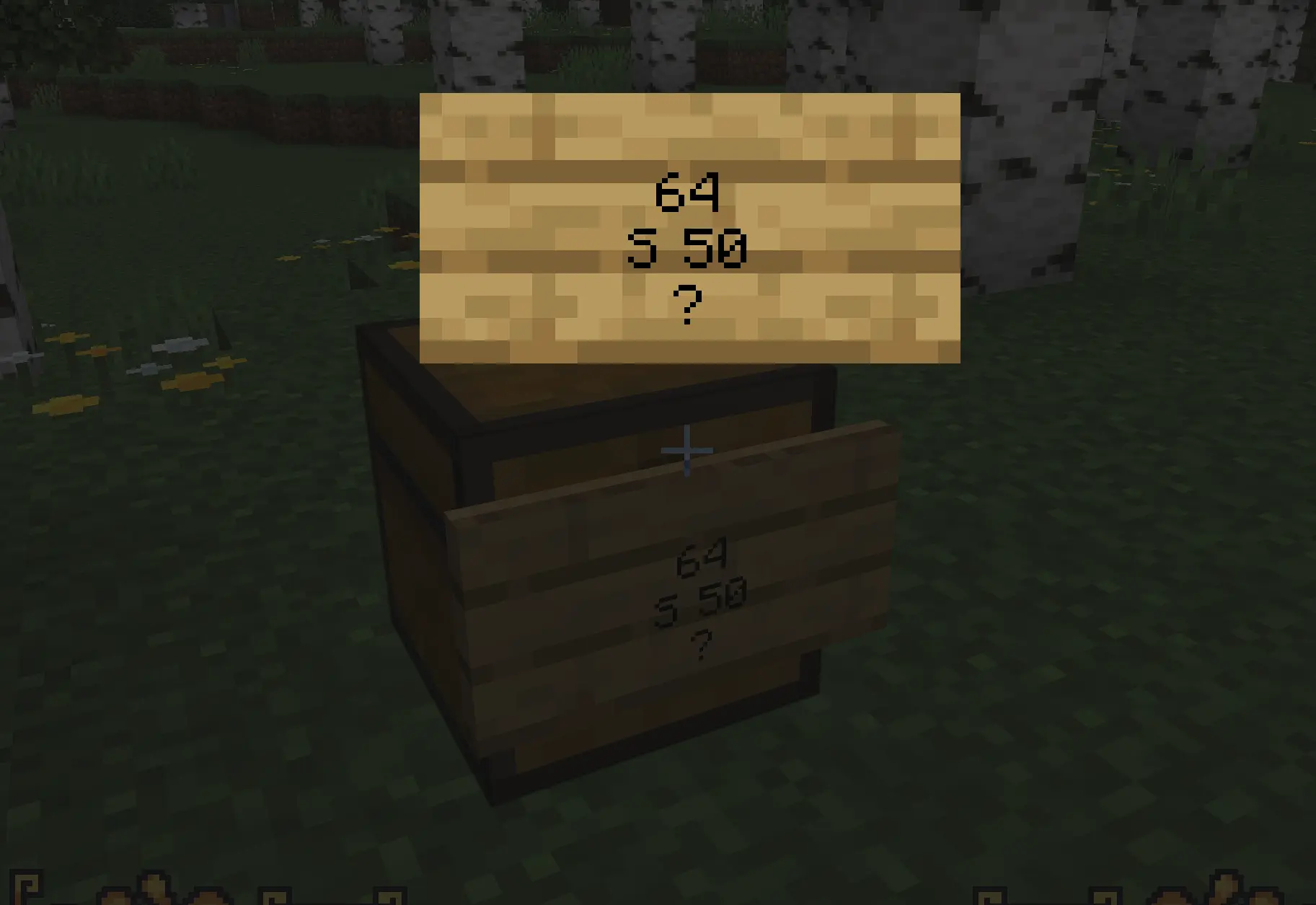
Buying example: the shop pays 50 Crowns for 64 Diamonds.
A Buying Shop needs enough money to complete purchases. If the owner cannot afford the transaction, players will not be able to sell their items to the shop.
How to Create a Buying & Selling Shop
You can also combine buying and selling prices on the same ChestShop. This allows players to both buy the item from your shop and sell the same item back to it.
In this example, the shop sells 64 Diamonds for 100 Crowns and buys 64 Diamonds for 50 Crowns.
Sign Structure
Leave the first line empty.
64
Number of items traded in one transaction.
B 100:50 S
B 100 means players can buy 64 items for 100 Crowns.
50 S means players can sell 64 items to the shop for 50 Crowns.
?
ChestShop detects the item stored in the chest automatically.
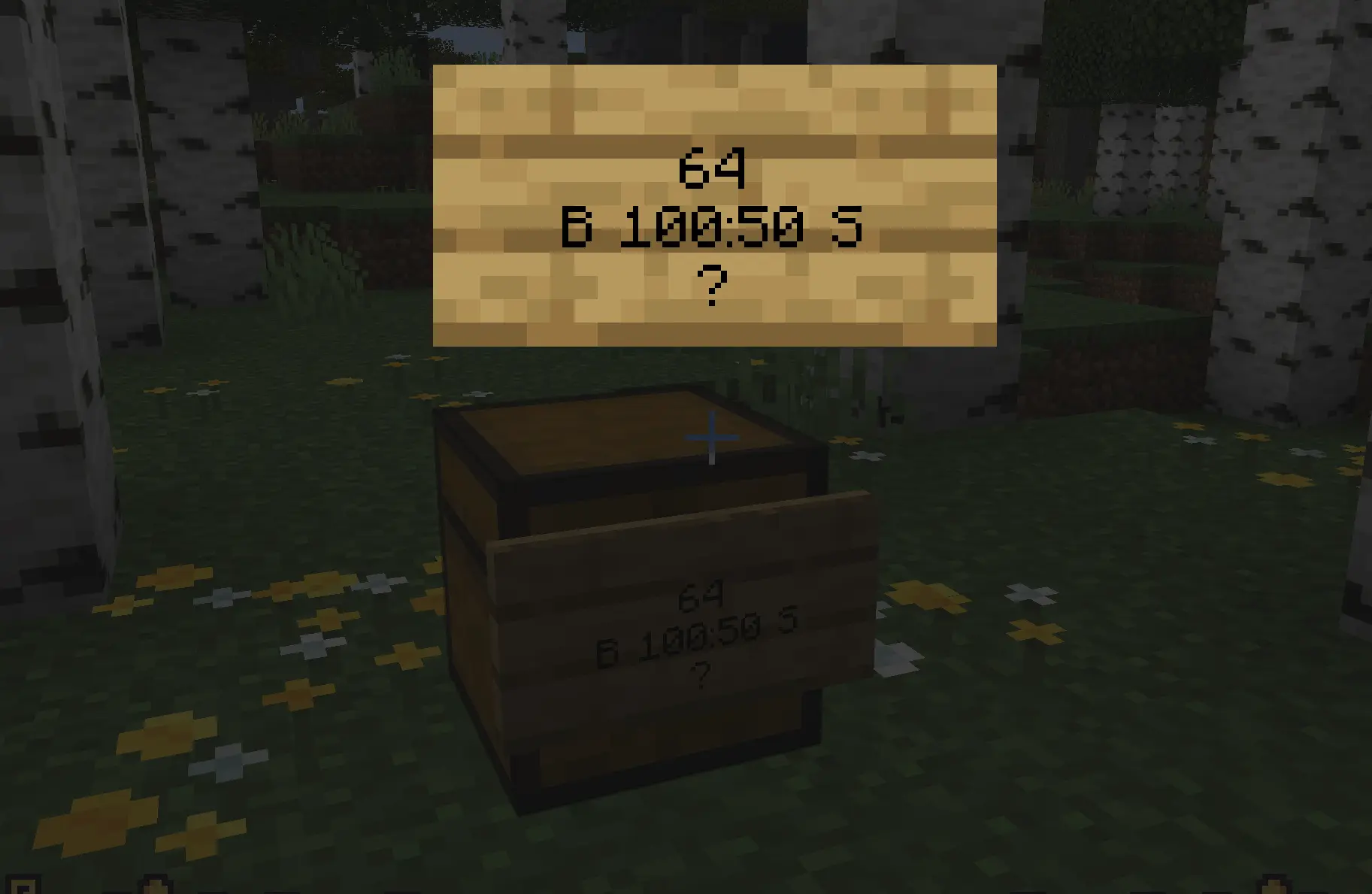
Combined example: sells 64 Diamonds for 100 Crowns and buys 64 Diamonds for 50 Crowns.
ChestShop Sign Quick Reference
[empty]
64
B 100
?
Sell 64 items to players for 100 Crowns.
[empty]
64
S 50
?
Buy 64 items from players for 50 Crowns.
[empty]
64
B 100:50 S
?
Sell 64 for 100 Crowns and buy 64 for 50 Crowns.
Setting a Good Shop Price
ChestShop prices are controlled by players. Item values can change depending on supply, demand and how difficult an item is to obtain.
Compare Shops
Check other player shops before deciding on your own price.
Watch Demand
Popular resources may sell faster when demand is high.
Stay Competitive
Competitive prices can attract more customers to your shop.
Keep Your ChestShop Working
Your shop needs enough resources to complete transactions. Check your ChestShops regularly, especially if you trade popular items.
Where Should You Build Your Shop?
A good location makes your shop easier to discover. Remember that ChestShops must be located inside a town where the mayor allows them.
Your Town
Create a local shop for residents, allies and visitors.
Town Market
Build alongside other stores to create a busy player marketplace.
Busy Town Areas
Shops near frequently visited locations are easier to discover.
ChestShop vs Auction House
MineKai provides multiple ways to trade. ChestShops are ideal for permanent player stores, while the Auction House is useful for quickly listing individual items server-wide.
- Permanent physical shops
- Buying and Selling Shops
- Perfect for Towny markets
- Great for frequently traded resources
- Works while you are offline
- Server-wide item listings
- No physical shop required
- Useful for individual items
- Easy to access from anywhere
- Good for quick sales
/ahChestShop Not Working?
If your ChestShop cannot be created or complete a transaction, check these common problems.
Tips for a Successful Minecraft Shop
Building blocks, farming materials and commonly used resources can create repeat customers.
Compare prices with other shops before setting your own.
Signs, decoration and a memorable building help players find your shop again.
Restock Selling Shops and make sure Buying Shops still have enough money available.
Start with a small ChestShop, learn what other players need, and expand your business over time. Your store can eventually become an important part of your town and MineKai's economy.