
How to Use the Auction House on MineKai
The Auction House is MineKai's server-wide player marketplace. You can browse items listed by other players, buy useful gear and resources, or turn your own items into money without building a permanent shop.
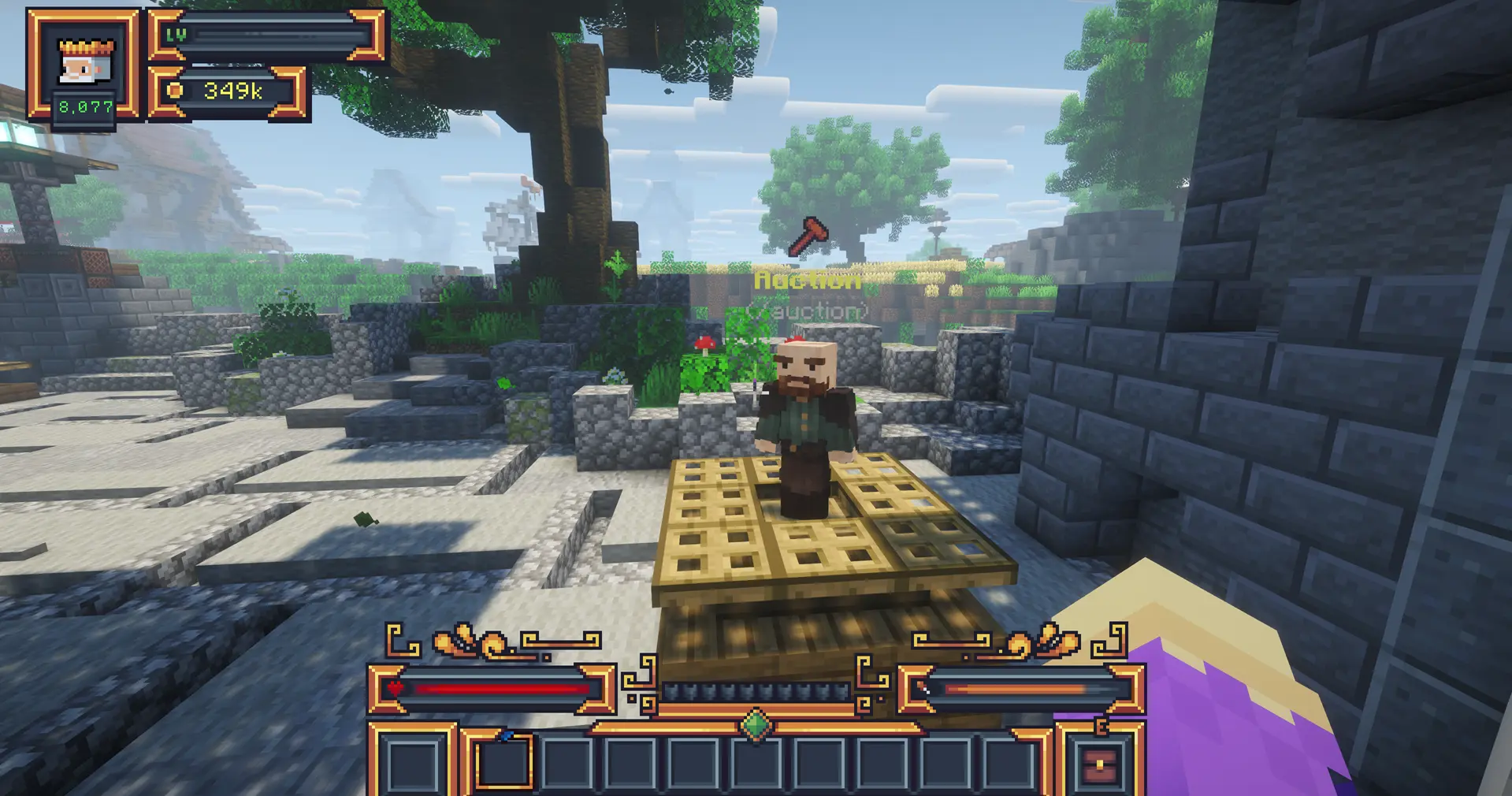
Open the Auction House with /ah. To sell the item you are holding, use /ah sale <price> money <amount>. For example, /ah sale 2500 money 1 lists one item for $2,500.
🏪 What Is the Auction House?
The Auction House is a global marketplace where MineKai players can list items and purchase listings created by other players. Unlike a physical ChestShop, you do not need to travel to a town marketplace or keep a chest stocked at a specific location.
This makes auctions especially useful for one-off sales, rare equipment, enchanted gear, valuable loot and resources that you want to offer to players across the server.
The system is part of MineKai's player-driven economy: prices are chosen by players, so the value of an item can change as supply and demand change.
🛒 How to Open the Auction House
The fastest way to access the marketplace is:
/ah
You can also interact with the Auction NPC in-game. The Auction House menu gives you access to active listings, your own items and category browsing.
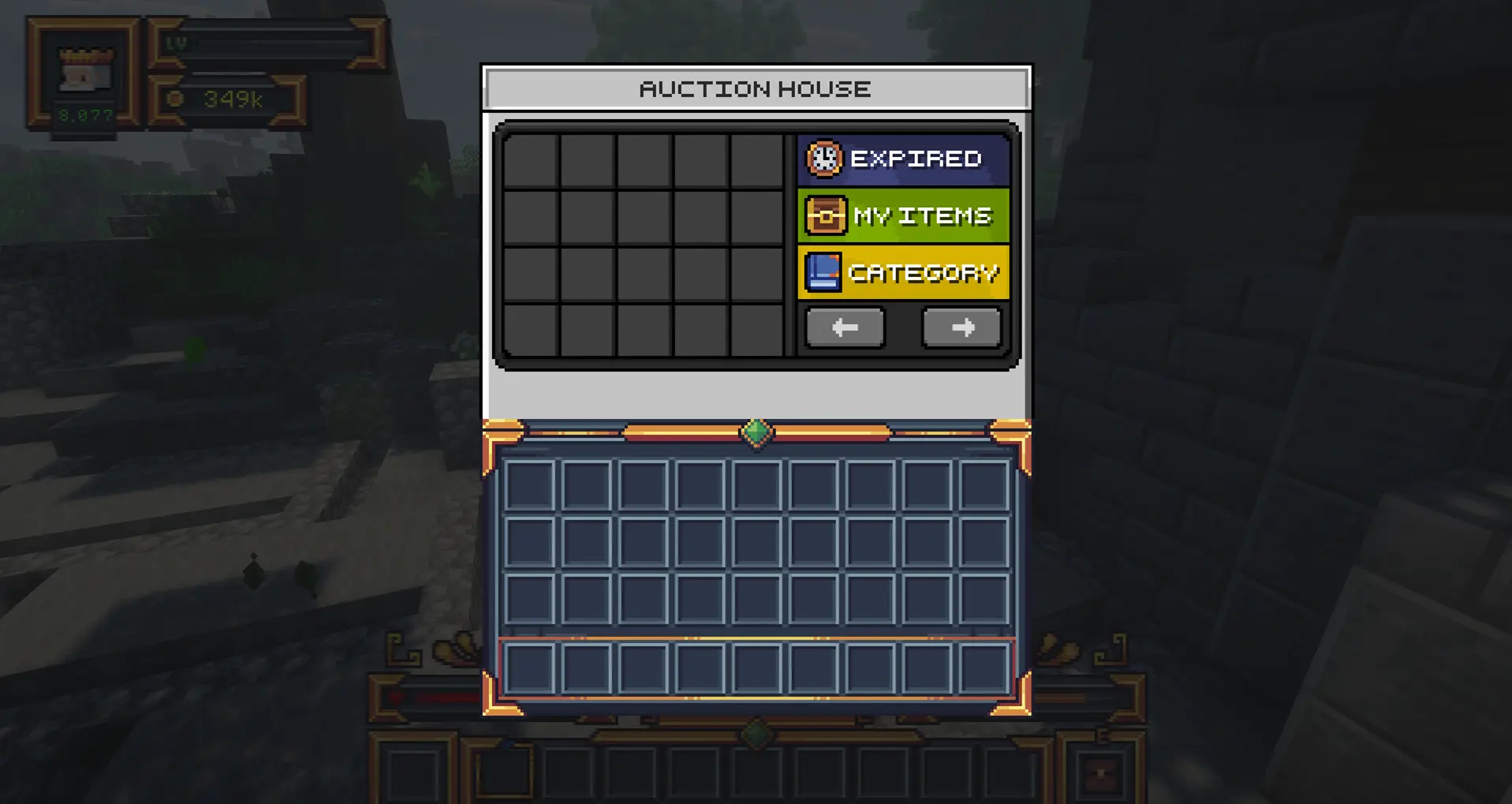
The interface also includes navigation arrows, making it easy to move through multiple pages when many items are listed.
💰 How to Buy an Item from the Auction House
Open /ah and browse the available listings. Hover over an item before buying it. A listing can show important information such as the item name, auction ID, seller, amount, price, remaining time, listing date and category.
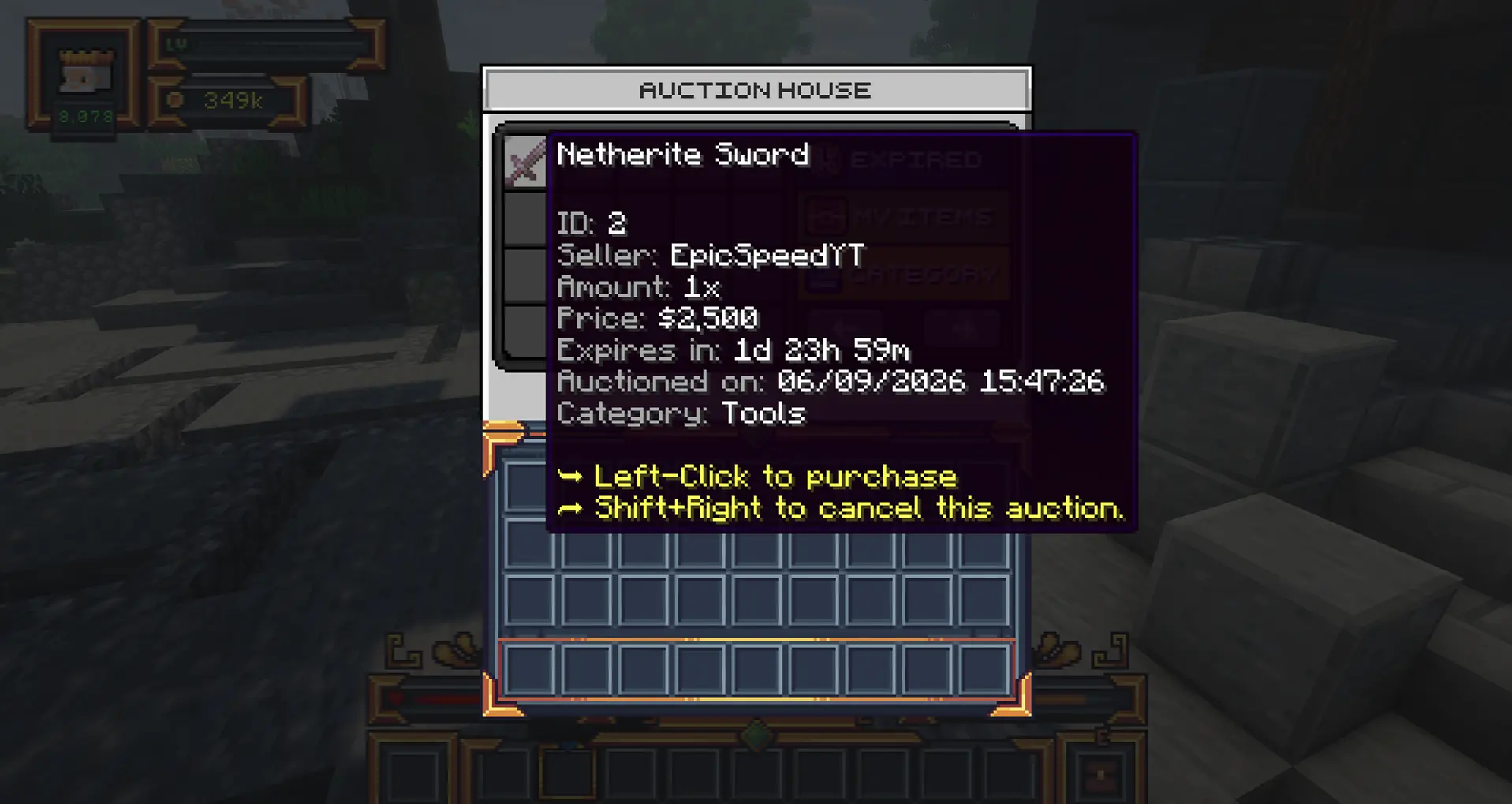
In the example above, the listing tells you to left-click to purchase. Always check the price and item details before confirming a purchase.
Two similar-looking items can have very different enchantments, durability or value. Read the listing details instead of judging an auction only by its icon.
💵 How to Sell an Item on the Auction House
To create a listing, hold the item you want to sell in your hand and use the MineKai auction sale command:
/ah sale <price> money <amount>
For example:
/ah sale 2500 money 1
This lists one item from your hand for $2,500 using the server's money currency.
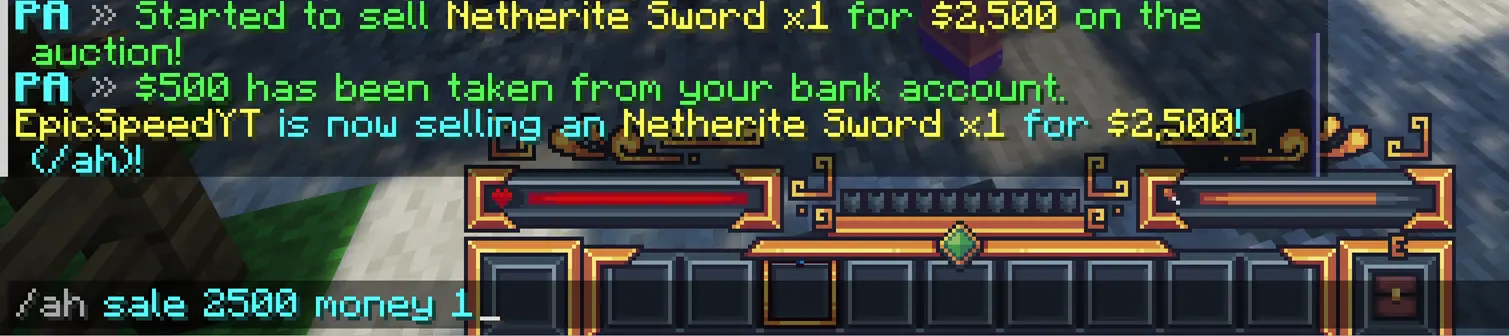
Once the listing is created, other players can see it in the Auction House and purchase it while the auction remains active.
The Auction House is player-driven. Before listing an expensive item, check similar auctions to get an idea of the current market price.
🗂️ Finding Items with Auction Categories
When the Auction House becomes busy, categories make it easier to browse the market. The Category option filters listings so you can focus on the type of item you actually want.
PlayerAuctions supports configurable automatic categories, so items can be organized into groups instead of forcing you to search through every active listing at once.
For example, the Netherite Sword shown above appears in the Tools category on MineKai.
📦 Managing Your Own Auctions
The My Items section gives you a convenient place to manage listings connected to your account. When viewing one of your own active auctions, the interface can provide an option to cancel it rather than purchase it yourself.
Use this area when you want to check whether an item is still listed, review your active sales or manage an auction you no longer want on the market.
⌛ What Happens When an Auction Expires?
Auction listings do not remain active forever. If an item reaches the end of its listing period without being purchased, PlayerAuctions moves it into the expired-auctions system instead of treating it as a normal active listing.
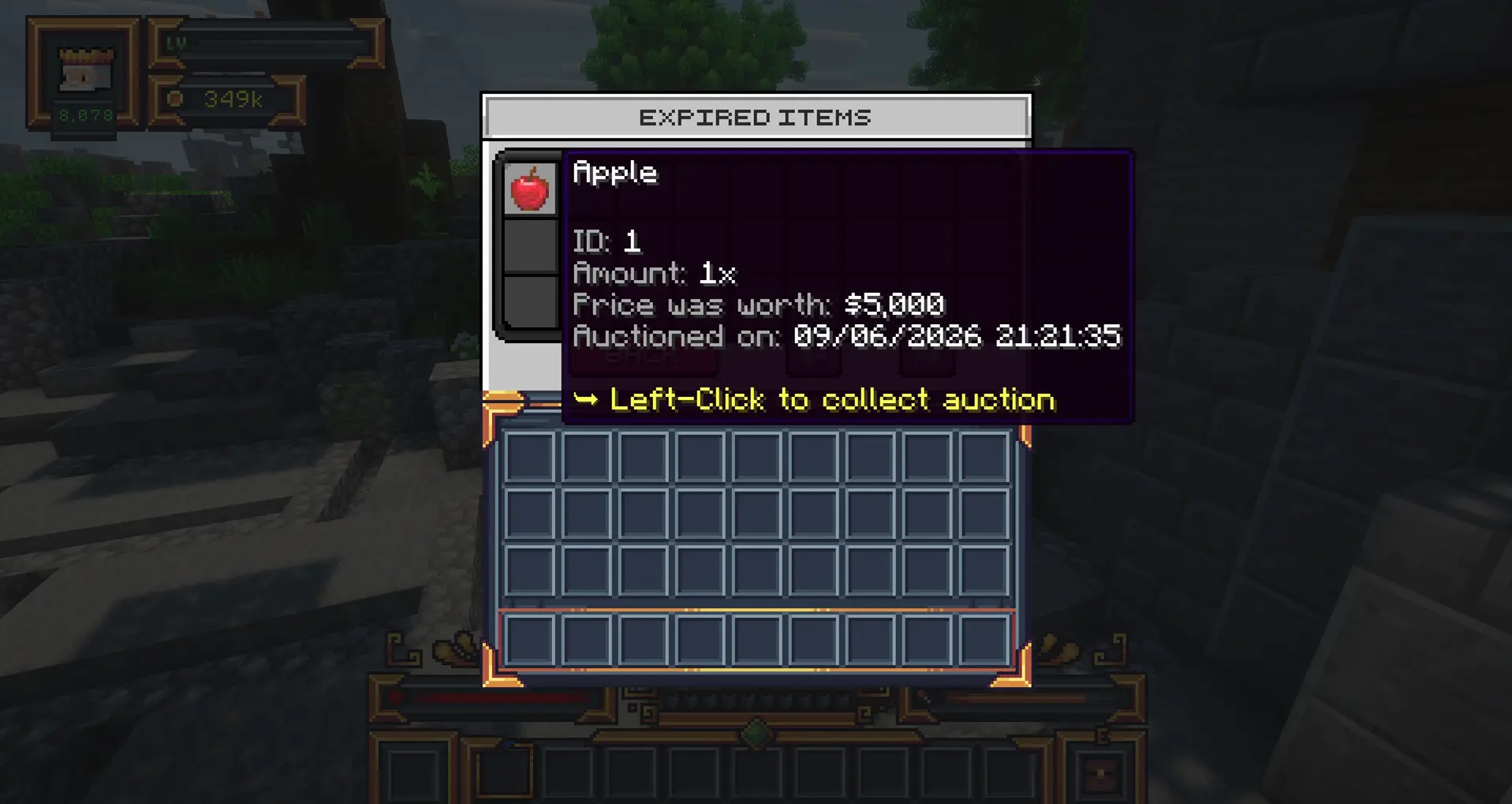
Hover over an expired listing to see its details. The menu shows the original auction information and provides the action needed to collect the item again.
If a listing expires, check Expired Items and collect it rather than assuming the item has disappeared.
🏪 Auction House vs ChestShop
MineKai supports both server-wide auctions and physical player shops. They serve different purposes and work well together.
| Feature | Auction House | ChestShop |
|---|---|---|
| Best for | Quick server-wide sales and individual valuable items | Permanent shops and regularly stocked products |
| Location | Accessible through the Auction House | Built at a physical location inside an allowed Towny town |
| Pricing | Each listing has its own player-set price | Shop owner sets the shop's buy/sell prices |
| Expiry | Listings can expire | The shop remains available while its setup, stock and funds allow trading |
If you want to build a permanent business rather than make quick auction listings, read the MineKai ChestShop Guide.
📈 Tips for Buying and Selling Successfully
Compare prices before listing
Look at similar items already on the market. Pricing far above comparable listings can make your item difficult to sell, while pricing too low may leave money on the table.
Check the complete item
For equipment, value can depend on enchantments, durability and other properties. Inspect the item carefully before buying or deciding what your own listing is worth.
Use auctions for items with server-wide demand
Rare loot, equipment and useful resources can reach buyers across the server through the Auction House. For items you sell continuously, a ChestShop may be more convenient.
Remember to collect expired items
If something does not sell, visit the Expired Items menu and recover it so you can use it, relist it or choose a different price.
⌨️ Essential Auction House Actions
| Action | How to do it |
|---|---|
| Open Auction House | /ah or interact with the Auction NPC |
| Sell an item | /ah sale <price> money <amount> |
| Buy an item | Open its listing and use the purchase action shown in the GUI |
| Browse categories | Use Category in the Auction House menu |
| Manage listings | Open My Items |
| Recover an expired item | Open Expired Items and collect the listing |
You can also find /ah in MineKai's Useful Commands page.
❓ Auction House FAQ
How do I open the Auction House on MineKai?
Use /ah or interact with the Auction NPC. The menu lets you browse player listings and access auction management options.
How do I sell an item on MineKai?
Hold the item in your hand and use /ah sale <price> money <amount>. For example, /ah sale 2500 money 1 lists one held item for $2,500.
How do I buy an auction item?
Open the Auction House, find the listing you want, inspect its price and details, and follow the purchase action displayed in the item's GUI. In the current MineKai interface, purchasable listings show a left-click purchase action.
What happens if my auction does not sell?
When a listing expires, it moves out of the active marketplace. Open the Expired Items section and collect the item so it returns to you.
Can I cancel my own auction?
Your own listings can be managed through the auction interface. When cancellation is available for the listing, the GUI displays the relevant cancel action.
Should I use the Auction House or a ChestShop?
Use the Auction House when you want a fast server-wide listing, especially for individual valuable items. Use a ChestShop when you want a permanent physical store with products that you plan to buy or sell repeatedly.
Who sets Auction House prices?
Players set the prices of their own listings. That means prices can change as supply, demand and the server economy change over time.