Some Minecraft servers change the plugins. MineKai changes the places you play in: a 40,000 × 20,000 Earth map, a hand-crafted custom Nether, and a special End dimension built around a dramatic dragon arena.
If you are searching for a Minecraft server with custom worlds, beautiful terrain, recognizable continents and places that actually make exploration feel different, this is the side of MineKai you should see first.
🌍 A 40,000 × 20,000 Minecraft Earth Map
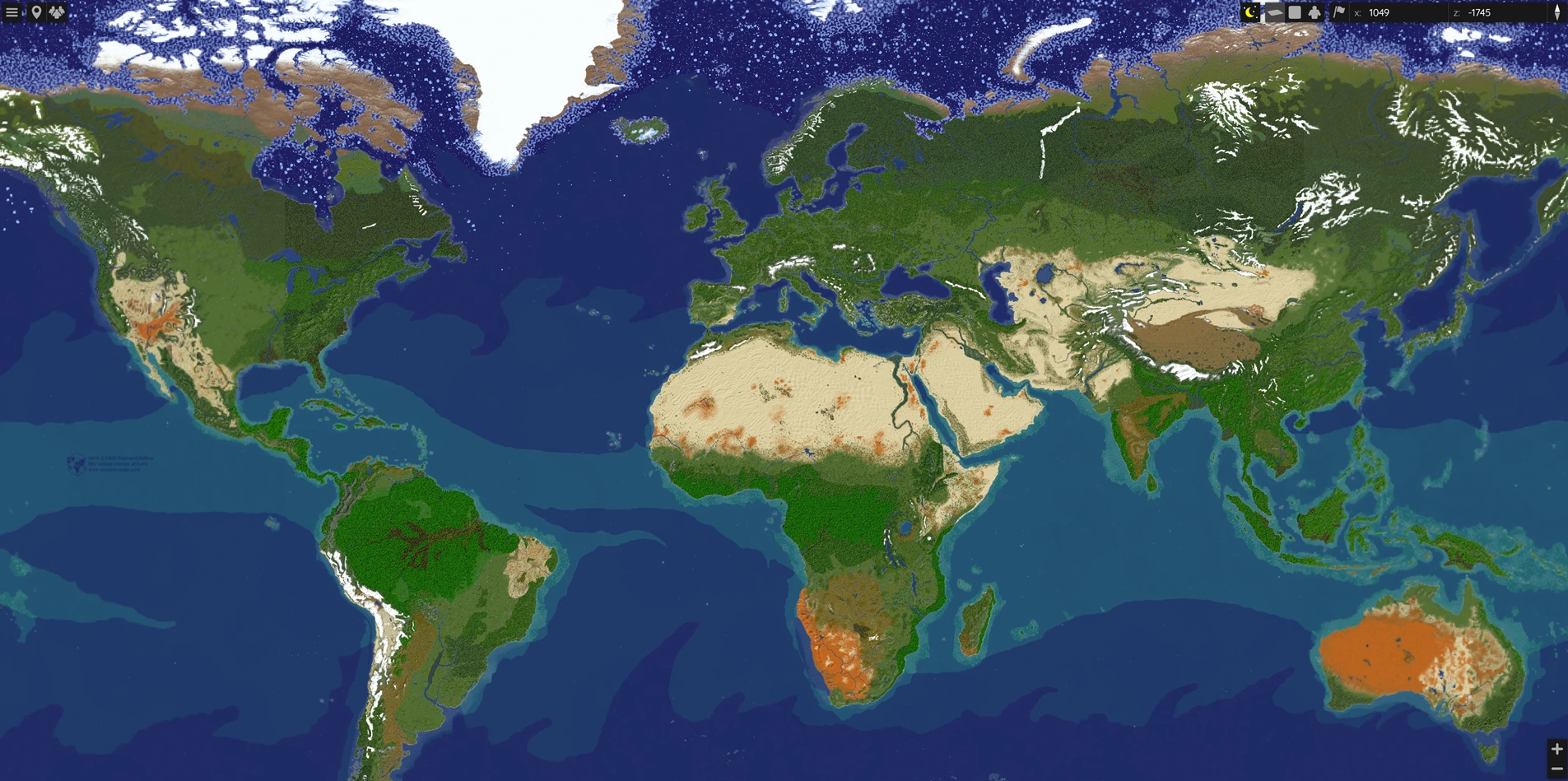
MineKai's main survival world is shaped like Earth at a massive 40,000 × 20,000 blocks. Europe, Africa, Asia, the Americas, Australia and the major oceans are all recognizable from above, but the server is not trying to recreate real-world politics. Players decide where towns appear, which nations form and how the map develops.
That gives the world a useful balance: the geography is familiar enough that you can say “we are building in Scandinavia” or “our town is on the Mediterranean,” while the actual history of the server is created entirely by the community.
If your main reason for joining is the Earth setting, see the full MineKai Towny server overview. If you are new to claims, towns and nations, the Minecraft Towny beginner guide explains how the system works before you choose a place to settle.
🌿 867 Biomes Instead of One Repeating World
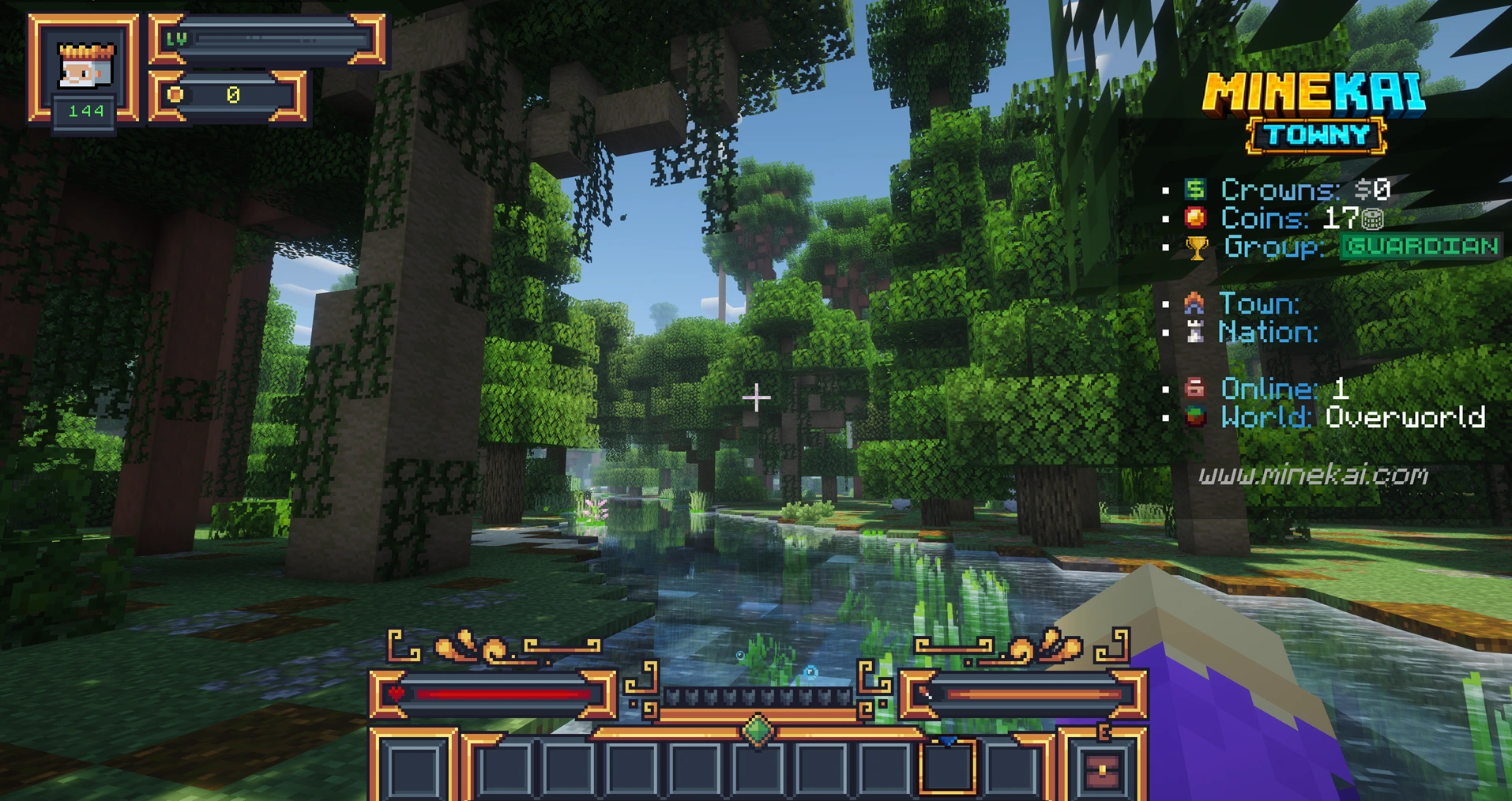
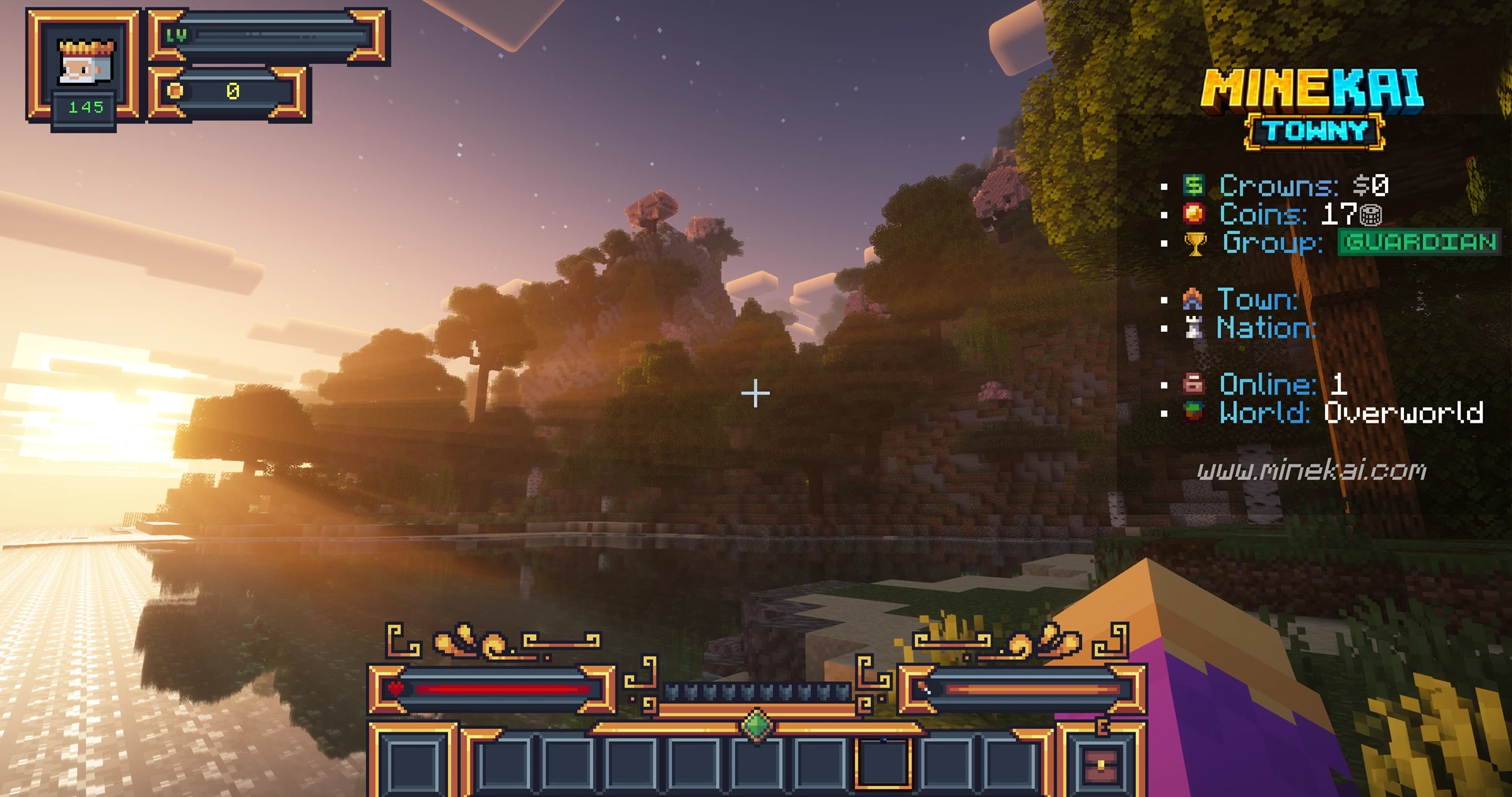
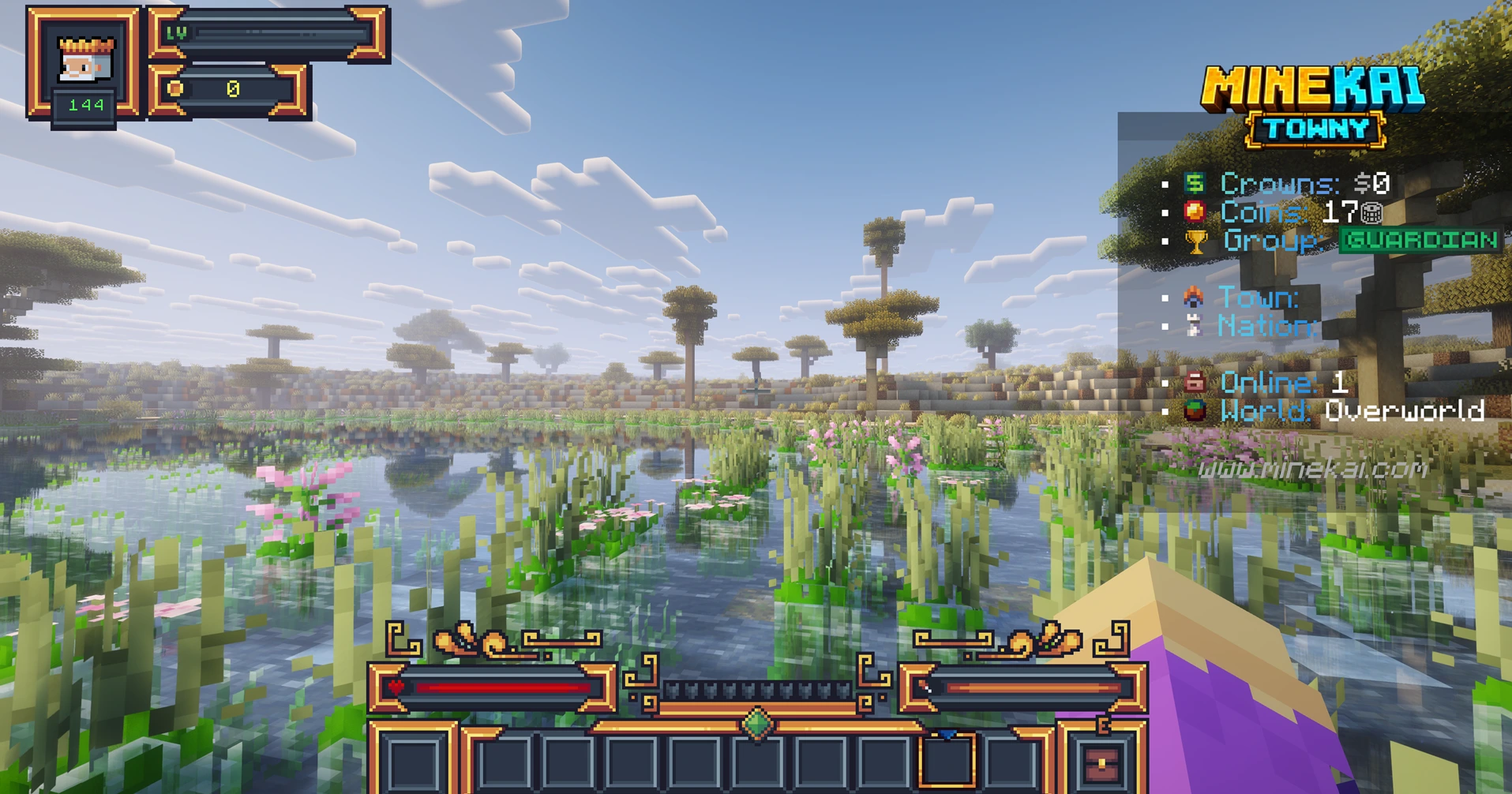
The Earth terrain MineKai uses is based on a hand-crafted world built around 867 unique biome regions. The goal is not simply to draw continents with ordinary Minecraft biomes. Different climates, elevations and landscapes are represented with smoother transitions, custom vegetation and terrain designed around real-world regions.
The original terrain project includes thousands of custom tree schematics placed around appropriate natural ranges and elevations. That is why travelling between regions can feel much more dramatic than crossing a normal generated seed: forests change character, deserts open up, mountain ranges become landmarks, and wetlands can look completely different from the biome you left behind.
✨ A Beautiful Minecraft World You Can Actually Build In
Pretty screenshots are easy to make when a world is only meant to be viewed. MineKai's overworld has to do more: it is the permanent space where players build homes, claim towns, open shops, create roads, choose borders and grow nations.
That makes terrain important for gameplay as well as atmosphere. A mountain can become a natural fortress. A river can divide two settlements. A coastline can define the shape of a city. A remote jungle can become the reason an expedition exists in the first place.
🔥 The Nether Is a Custom Greek Underworld
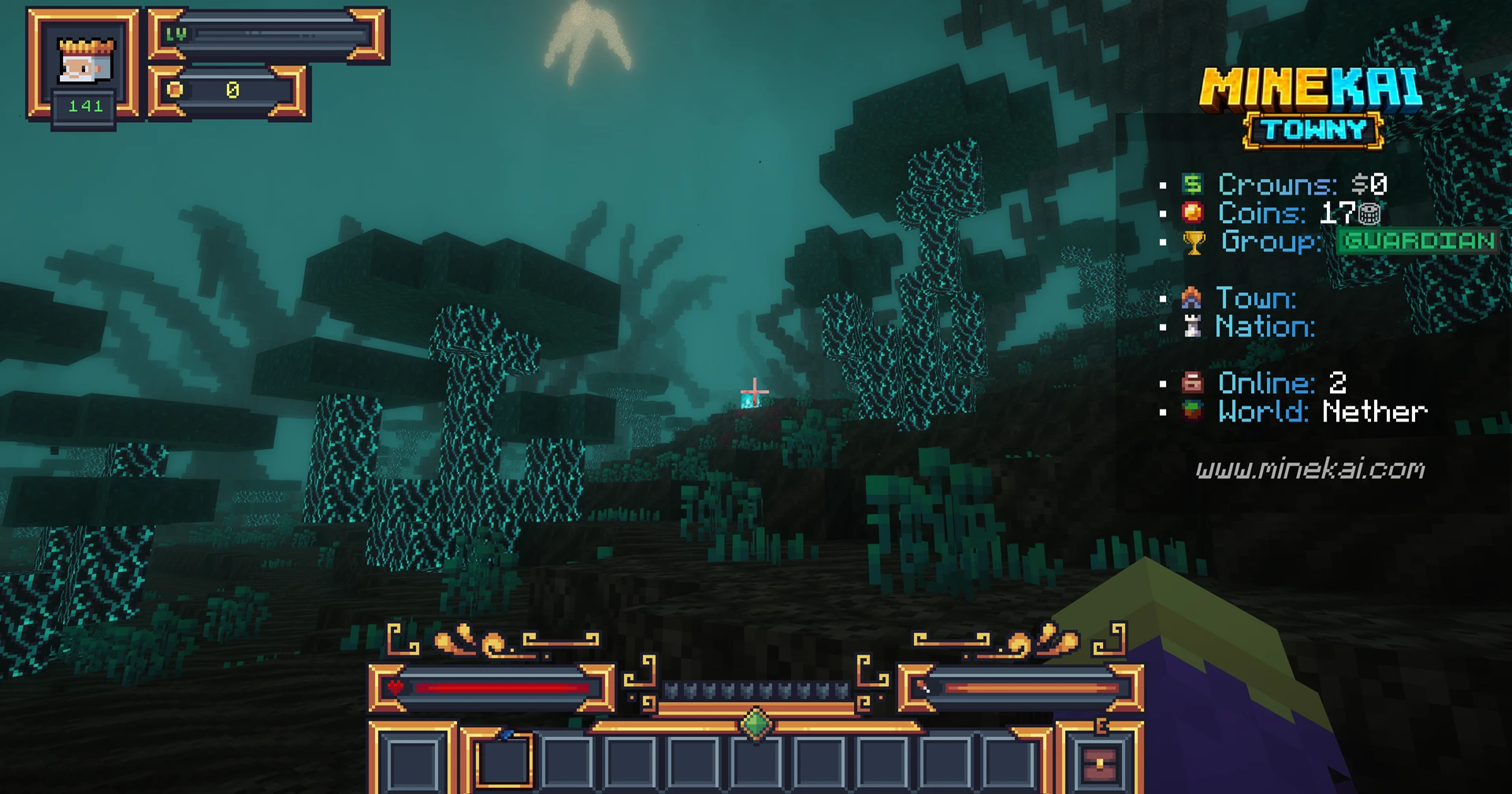
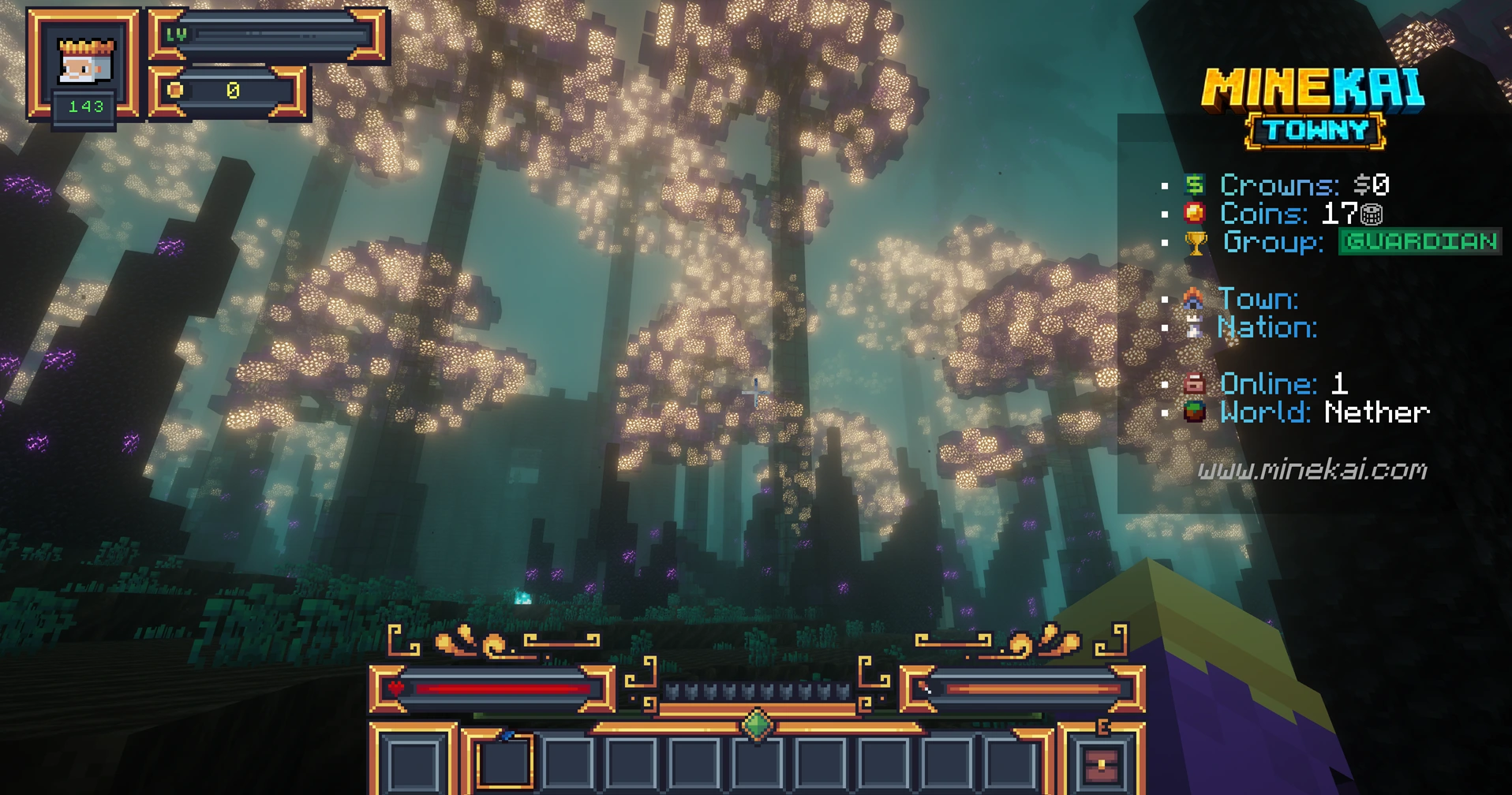
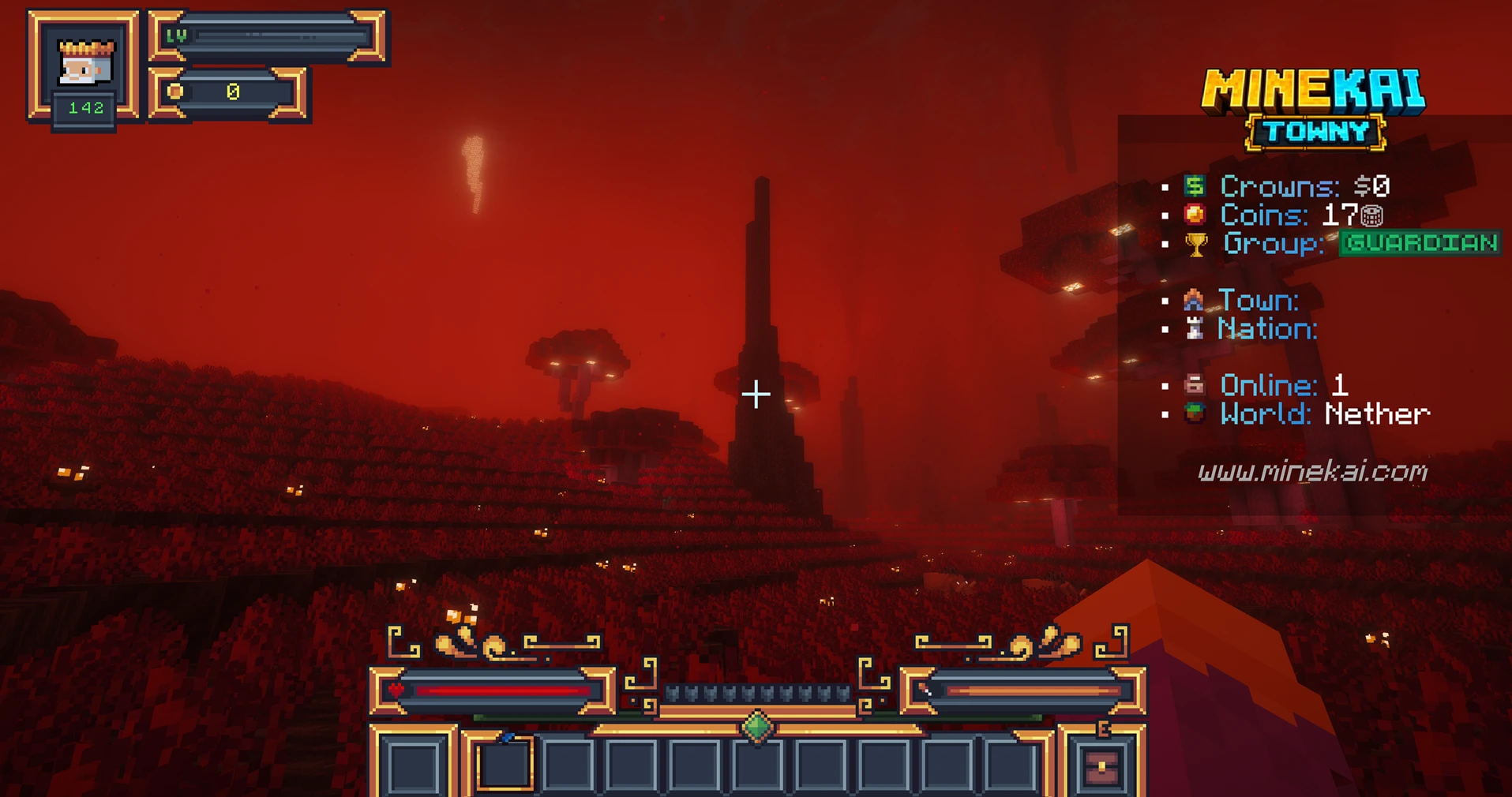
MineKai does not send you from a custom Earth world into an ordinary vanilla Nether. The server uses a custom 8,000 × 8,000 Nether inspired by the Greco-Roman underworld.
Its regions draw from places and ideas such as Tartarus, the Asphodel Meadows, Deimos Oneiros and Elysium. The result is a dimension with its own visual identity: dark forests, strange glowing vegetation, huge silhouettes, crimson landscapes and areas that can feel almost alien compared with the overworld.
It is still a survival dimension rather than a decorative showcase. Normal Nether resources remain part of the world, so exploration has a practical reason as well as a visual one.
🐉 A Custom End That Opens for Special Events
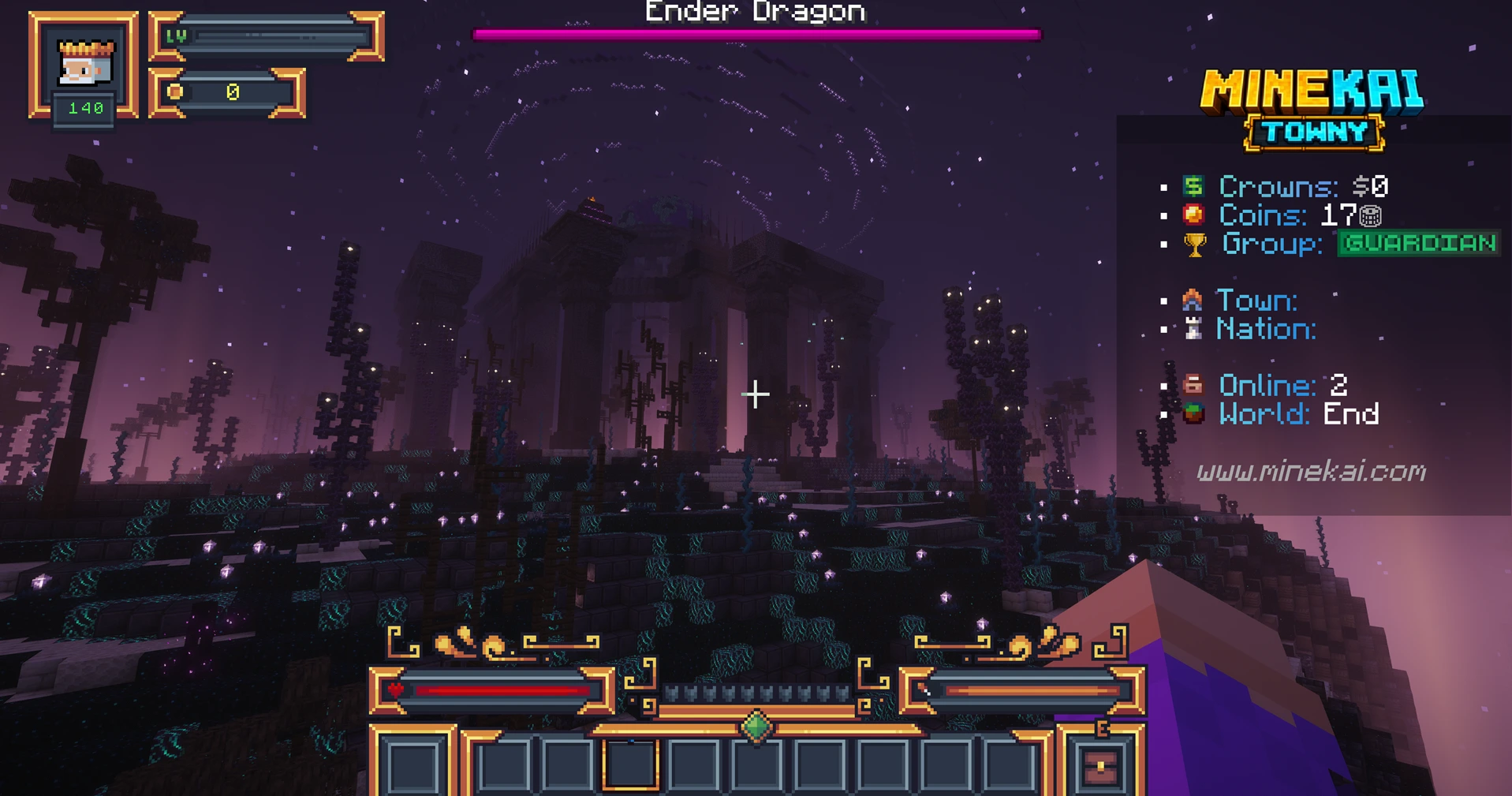
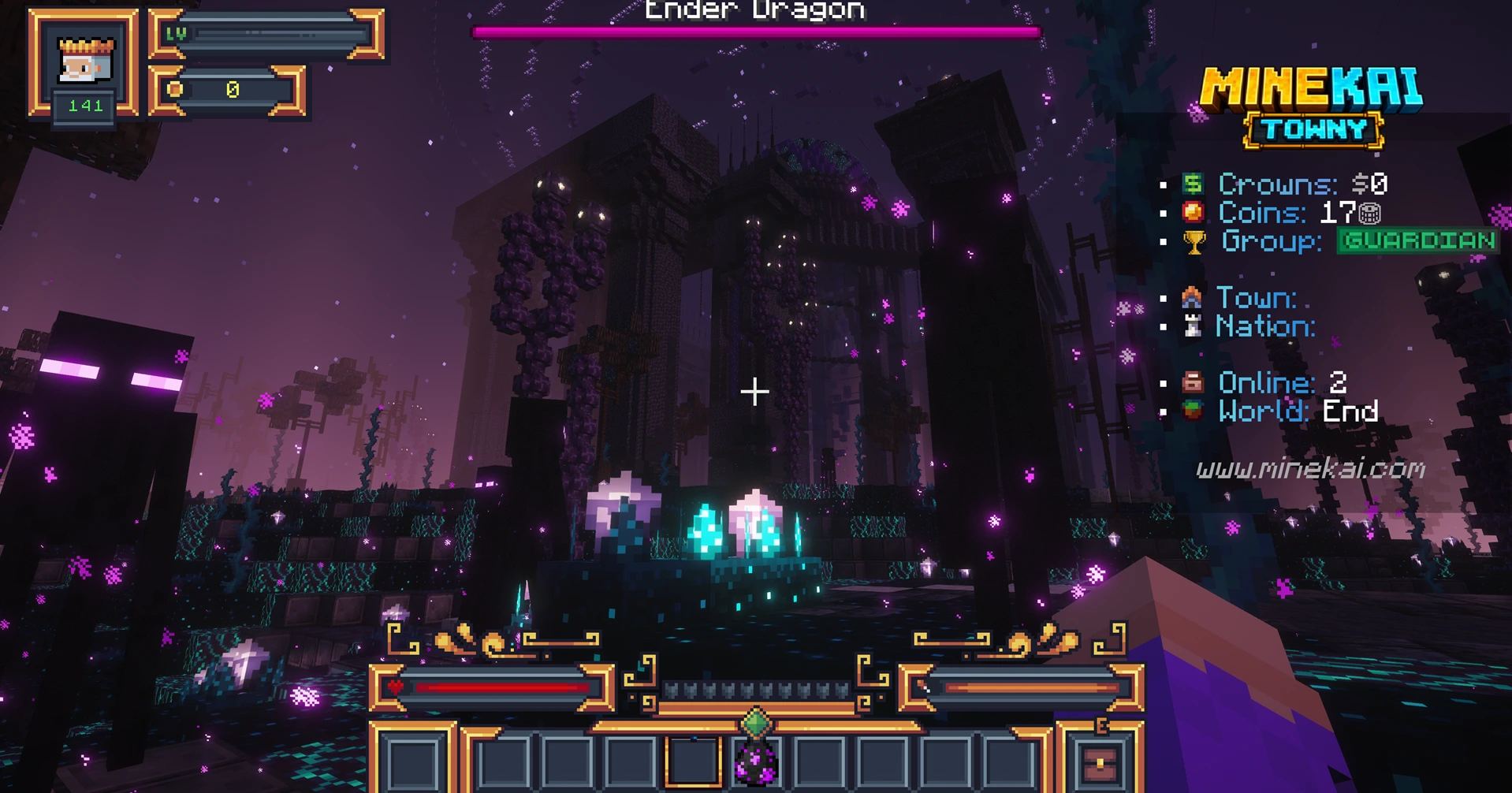
The End on MineKai is different again. It is a custom dimension with a large central dragon arena, dark architecture, glowing vegetation and an atmosphere built around the Ender Dragon encounter.
Unlike the overworld and Nether, the End is not permanently open. MineKai opens it on selected dates and during special server events, turning access into a limited-time expedition where players can enter, fight, explore and clear the dimension together.
That keeps the End from becoming background content that everyone finishes once and forgets. When it opens, the dimension becomes an event.
MineKai also runs custom boss content outside the End. If you like large PvE encounters, read how MineKai bosses work and check how boss events, phases and rewards are structured.
🏰 Why Custom Worlds Matter on a Towny Server
A custom world is most interesting when players can leave something behind in it. Towny turns MineKai's terrain into territory: you can claim land, build a settlement, invite residents and eventually become part of a larger nation.
On an Earth map, location becomes part of a town's identity. A city built on a northern coastline does not feel the same as one in a desert, jungle or mountain region. The landscape can influence architecture, roads, neighbouring settlements and even which routes players use to travel and trade.
Choose a region
Find a landscape that fits what you want to build, then turn a recognizable part of the Earth map into your home.
Protect your town
Use Towny claims and plots to organize homes, roads, markets and shared projects instead of building in anonymous wilderness.
Build an economy
Sell resources, use player markets and let geography create reasons for settlements to interact with each other.
Create a nation
Neighbouring towns can cooperate, form larger communities and create a player-made political landscape across the Earth map.
For the practical side, MineKai's complete Towny commands guide covers the current command set, while the useful server commands page is a faster reference for everyday actions.
🧭 Exploration Is More Than Looking for a Base
If you enjoy discovering places, MineKai gives you several reasons to keep moving after you have chosen a home. The Earth map gives you distant regions to visit, the Nether changes the atmosphere completely, and the End becomes a timed destination when server events open it.
Exploration also connects to the wider survival loop. You can search for resources, discover where other players settled, visit towns and markets, scout possible locations for a future settlement or simply travel because the next biome looks worth seeing.
If you are comparing MineKai with other large-scale town and nation servers, see our Minecraft nations server comparison. For the economy side of long-term survival, read how MineKai's player-driven economy works.
❓ MineKai Custom Worlds FAQ
Does MineKai have a custom Minecraft world?
Yes. MineKai uses a 40,000 × 20,000 Earth overworld, a custom 8,000 × 8,000 Greek Underworld-inspired Nether and a custom End built around a large dragon arena.
Is MineKai an Earth map Minecraft server?
Yes. The main Towny survival world uses recognizable Earth geography, with continents and major regions forming the foundation for player-created towns and nations.
How many biomes are on the MineKai Earth map?
The underlying Earth terrain is built around 867 unique biome regions, with custom vegetation, terrain transitions and landscapes designed to represent different parts of the world.
Is the Nether custom too?
Yes. MineKai's Nether is an 8,000 × 8,000 custom world inspired by the Greco-Roman underworld, including regions themed around places such as Tartarus, Asphodel Meadows and Elysium.
Is the MineKai End always open?
No. The custom End is opened on selected dates and during special events. Its limited availability makes End expeditions and dragon encounters a server event rather than permanently available background content.
Can I build towns on the custom Earth map?
Yes. The Earth overworld is MineKai's main Towny survival world. Players can claim territory, create towns, manage plots and form nations across the map.
What version is MineKai?
MineKai is a Minecraft Java survival server. Check the current Towny server page for the latest supported version and connection details.
Choose a Place on the Map and Make It Yours
You can look at custom Minecraft worlds in screenshots, or you can build a town inside one. Explore the Earth map, cross into the Greek Underworld, wait for the End to open, and leave your own mark on MineKai's world.
Server IP: mc.minekai.com
Start with the MineKai Getting Started Wiki